How to Repurpose Content Across YouTube, TikTok, Facebook, and Instagram

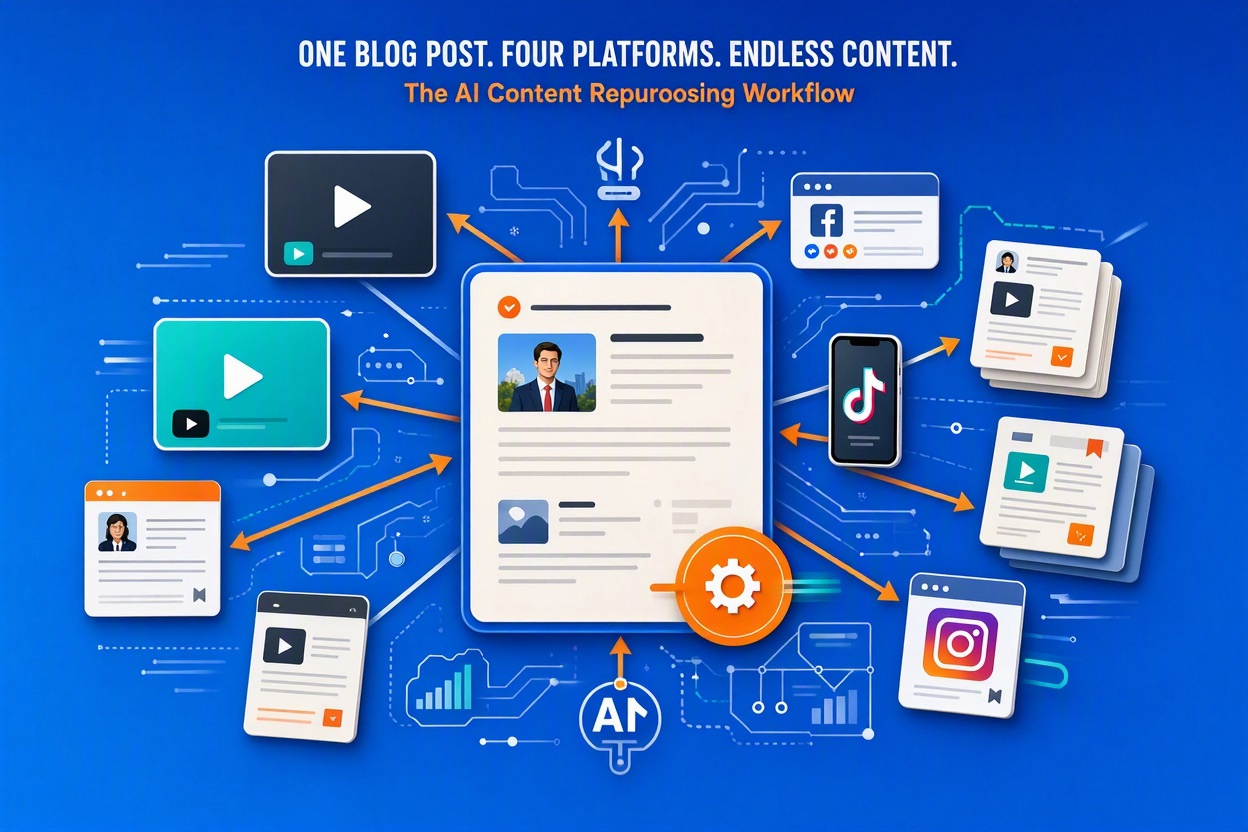
Content repurposing workflow showing how one blog post can be transformed into YouTube videos, TikTok content, Facebook posts, Instagram Reels, email newsletters, and downloadable resources.

A practical content repurposing system that helps bloggers, affiliate marketers, and content creators reach more people without constantly creating new content from scratch.

Introduction

One of the biggest mistakes content creators make is publishing content once and moving on.

You spend hours researching, writing, editing, and publishing a great piece of content. Then you share it once and start over with the next idea.

That’s not an efficient use of your time.

The creators growing the fastest aren’t necessarily creating more content. They’re getting more mileage from every piece of content they create.

A single blog post can become:

  • A YouTube video
  • Multiple YouTube Shorts
  • Facebook posts
  • Instagram Reels
  • TikTok videos
  • LinkedIn posts
  • Email newsletters
  • Lead magnets

In this guide, I’ll show you how to repurpose content across major platforms using a content multiplication strategy.


Why Content Repurposing Matters

Every platform has a different audience.

Some people enjoy reading articles.

Others prefer watching videos.

Some only consume short-form content.

When you repurpose content, you increase your chances of reaching people wherever they prefer to consume information.

Content repurposing can help you:

✅ Reach a larger audience

✅ Increase traffic

✅ Build authority

✅ Grow your email list

✅ Generate more affiliate clicks

✅ Save time

The goal is not to create more work.

The goal is to create more value from the work you’ve already done.


Start With One Core Piece of Content

Everything starts with a source asset.

Examples include:

  • A pillar article
  • A product review
  • A case study
  • A tutorial

For example, if I publish an article like:

How to Turn One Blog Post Into 50+ Content Assets Using AI

that article becomes the foundation for everything else.

Rather than creating platform-specific content from scratch, I repurpose the original content into multiple formats.


Step 1: Turn the Blog Post Into a YouTube Video

Long-form content is usually the easiest format to create from a blog post.

The article already contains:

  • Structure
  • Headings
  • Talking points
  • Examples

You simply convert it into video format.

Tools I Recommend

Try Pictory

Pictory can transform blog posts into videos, making it one of the easiest tools for content repurposing.

Read My Pictory Review


Try Synthesia

Synthesia is ideal if you want an AI presenter delivering your content.

Read My Synthesia Review


Try InVideo AI

InVideo AI helps rapidly generate videos from written prompts and articles.

Read My InVideo AI Review


Step 2: Create YouTube Shorts

Once the long-form video is complete, identify the strongest moments.

Look for:

  • Surprising facts
  • Quick tips
  • Key lessons
  • Case study results

Each moment can become a separate YouTube Short.

One 10-minute video can easily generate:

  • 3 Shorts
  • 5 Shorts
  • Sometimes 10 Shorts

Step 3: Repurpose for TikTok

TikTok rewards short, attention-grabbing content.

Instead of creating new content, use:

  • YouTube Shorts
  • Video snippets
  • Key takeaways

Small edits may be required, but the core content remains the same.

Examples:

  • Quick marketing tips
  • Software demonstrations
  • Blogging lessons
  • Affiliate marketing strategies

Step 4: Repurpose for Facebook

Facebook supports multiple content formats:

Short Videos

Reuse Shorts and Reels.

Text Posts

Pull key sections directly from your article.

Images

Turn important quotes into graphics.

Links

Link back to the original article.

Facebook works especially well for sharing:

  • Case studies
  • Personal experiences
  • Success stories

Step 5: Repurpose for Instagram

Instagram offers several options:

Reels

Repurpose short-form video content.

Carousel Posts

Convert article sections into slides.

Graphics

Use key tips and takeaways.

Stories

Share quick content highlights.

A single article can easily become multiple Instagram assets.


Step 6: Repurpose for LinkedIn

Although LinkedIn isn’t mentioned as often as YouTube or Instagram, it can be incredibly valuable.

Examples:

  • Lessons learned
  • Content creation workflows
  • Marketing case studies
  • Publishing experiences

LinkedIn audiences often respond well to practical, business-focused content.


Step 7: Create Email Content

Many creators overlook email marketing.

Every article contains material that can become:

  • Weekly newsletters
  • Broadcast emails
  • Lead nurturing sequences

Simply summarize:

  • The most important lesson
  • Key takeaway
  • Action step

Then link readers back to the original article.


Step 8: Create Lead Magnets

One article can often become a downloadable resource.

Examples:

  • PDF guide
  • Checklist
  • Workbook
  • Resource package

This creates another content asset while also helping grow your email list.

The Content Multiplier Method

If you’d like to see this concept in action, I’ve put together a free guide.

View The Content Multiplier Method

Download the PDF Version

Read the Flipbook Version


A Real Content Repurposing Example

Let’s use a real-world example.

I recently published:

How I Published Two AI Coloring Books on Amazon KDP in 48 Hours

That single article could become:

YouTube

  • Full case study video

YouTube Shorts

  • Publishing lesson #1
  • Book creation lesson #2
  • Biggest surprise #3

Facebook

  • Personal publishing experience
  • Lessons learned

Instagram

  • Carousel post
  • Reel

TikTok

  • AI publishing story

Email

  • Case study newsletter

The article becomes the source asset.

Everything else expands from it.


My Content Repurposing Workflow

My typical process looks like this:

Plain Text

Blog Post

↓

YouTube Video

↓

YouTube Shorts

↓

TikTok Videos

↓

Instagram Reels

↓

Facebook Posts

↓

Email Newsletter

↓

Lead Magnet

One idea.

Multiple assets.

Multiple opportunities to reach your audience.


Final Thoughts

The future doesn’t belong to creators who simply create more content.

It belongs to creators who maximize the value of every piece of content they create.

Instead of publishing once and moving on, build a system for turning one piece of content into many different assets.

That’s how you increase visibility, save time, and grow consistently across multiple platforms.

Content creation is important.

Content multiplication is where the real leverage comes from.


Related Articles

AI Content Creation


AI Video Creation


Case Studies


Leave a Comment

Your email address will not be published. Required fields are marked *

How to Repurpose Content Across YouTube, TikTok, Facebook, and Instagram

Introduction

Creating great content takes time.

Researching a topic, writing an article, creating a video, editing the final product, and publishing it can take hours or even days.

Unfortunately, many creators stop after publishing content once.

The smarter approach is content repurposing.

Instead of creating one piece of content and moving on, successful creators transform a single idea into multiple assets across multiple platforms.

In this guide, I’ll show you how I repurpose content across YouTube, TikTok, Facebook, Instagram, and my website using AI tools and a content multiplication strategy.

If you’re new to this approach, start with:

👉 The Content Multiplier Method

You may also want to read:

👉 Best AI Tools for Content Creators in 2026

👉 How to Turn Blog Posts Into Videos Using AI


Why Content Repurposing Matters

Every content idea deserves multiple opportunities to succeed.

Benefits include:

✅ More traffic

✅ More video views

✅ Increased social media reach

✅ Better ROI from your content

✅ Additional affiliate marketing opportunities

✅ Faster audience growth

Instead of creating new content every day, content repurposing helps you get more value from the content you already have.


Step 1: Start With One Core Content Asset

Every repurposing workflow begins with one primary piece of content.

Examples include:

Blog Posts

👉 Best AI Video Generators for Beginners in 2026

👉 Best AI Tools for Content Creators in 2026

Product Reviews

👉 Pictory Review

👉 Synthesia Review

👉 InVideo AI Review

👉 VEED Review

Your goal is to create one strong piece of content that can become many additional assets.


Step 2: Turn the Article Into a Video

This is where AI tools can save enormous amounts of time.

Pictory

Pictory specializes in turning written articles into videos.

This makes it one of the best tools for bloggers, affiliate marketers, and content creators.

Benefits include:

✅ Article-to-video conversion

✅ Automatic captions

✅ Stock footage integration

✅ Easy content repurposing

Related Articles:

👉 Pictory Review

👉 Pictory vs Synthesia

👉 Pictory vs InVideo

Try Pictory:

👉 Start Using Pictory


Step 3: Create Alternative Video Versions

Sometimes one version isn’t enough.

That’s where InVideo AI can help.

InVideo AI

InVideo lets creators generate videos from simple prompts.

You can create:

  • Long-form YouTube videos
  • Tutorials
  • Social videos
  • Marketing content

Related Articles:

👉 InVideo AI Review

👉 Pictory vs InVideo

Try InVideo:

👉 Start Using InVideo AI


Step 4: Create Presenter-Based Videos

Some creators want a human presenter without actually appearing on camera.

Synthesia

Synthesia uses AI avatars to create presenter-style videos.

Perfect for:

  • Tutorials
  • Courses
  • Product demonstrations
  • Educational content

Related Articles:

👉 Synthesia Review

👉 Pictory vs Synthesia

Try Synthesia:

👉 Start Using Synthesia


Step 5: Optimize Videos for Short-Form Platforms

Once your main video is complete, create shorter versions.

VEED

VEED can help:

✅ Create captions

✅ Edit vertical formats

✅ Optimize social media videos

✅ Improve engagement

Related Article:

👉 VEED Review

Learn More:

👉 VEED Resources


Step 6: Distribute Content Everywhere

One YouTube video can easily become:

YouTube

Long-form educational content

YouTube Shorts

Key highlights and tips

TikTok

Short attention-grabbing clips

Facebook Reels

Repurposed Shorts

Instagram Reels

Repurposed vertical content

Email Newsletter

Summary and promotional content

Blog Content

Additional embedded videos

One piece of content can become 10–20 individual assets.


Example Repurposing Workflow

Let’s use:

👉 Best AI Video Generators for Beginners in 2026

Workflow:

Original Blog Post

↓

Pictory Video

↓

InVideo Version

↓

Synthesia Presenter Version

↓

3 YouTube Shorts

↓

3 TikToks

↓

3 Facebook Reels

↓

3 Instagram Reels

↓

Email Newsletter

↓

Additional Website Traffic

One content asset can easily generate dozens of opportunities.


Build a Website Hub for Your Content

Social platforms are great.

Owning your audience is better.

Website hosting gives creators:

✅ SEO traffic

✅ Affiliate opportunities

✅ Email list building

✅ Long-term content ownership

Bluehost

Related Articles:

👉 Bluehost Review

👉 Bluehost Black Friday Deals

👉 Bluehost vs HostGator

Get Bluehost:

👉 Start Using Bluehost


HostGator

Related Article:

👉 HostGator Review

Get HostGator:

👉 Start Using HostGator


Free Resource: The Content Multiplier Method

Want to systemize this process?

Get my free guide:

📘 Download the PDF

📖 Read the Flipbook

🚀 Visit the Resource Page


Related Articles

AI Video Tools

Reviews

Comparisons


Final Thoughts

The most successful creators don’t necessarily create more content.

They get more value from every piece of content they create.

By combining tools like Pictory, InVideo AI, Synthesia, and VEED with a content multiplication strategy, one article can become dozens of assets across multiple platforms.

That’s how content creators scale without constantly starting from scratch.

Leave a Comment

Your email address will not be published. Required fields are marked *

Scroll to Top