

Disclosure: This article contains affiliate links. If you purchase through these links, I may earn a commission at no additional cost to you.
Introduction
HostGator is one of the longest-running names in web hosting, and it’s often one of the first hosts beginners come across when they search for a place to put their first website. That’s no accident — it has built its whole offer around making the first step easy. This review is for you if you’re starting a blog, a small business site, or an affiliate site and you want hosting that gets out of your way. I’ll cover what HostGator actually includes, what I like about it, where it falls short, and how it stacks up against Bluehost. Quick summary: HostGator is a solid, beginner-friendly host with straightforward setup and plenty of room to grow. It’s not the fastest or the most advanced host out there, but for a first website it does the job well. My overall rating: 4.5/5.
👉 Get Started with HOSTGATOR
What Is HostGator?
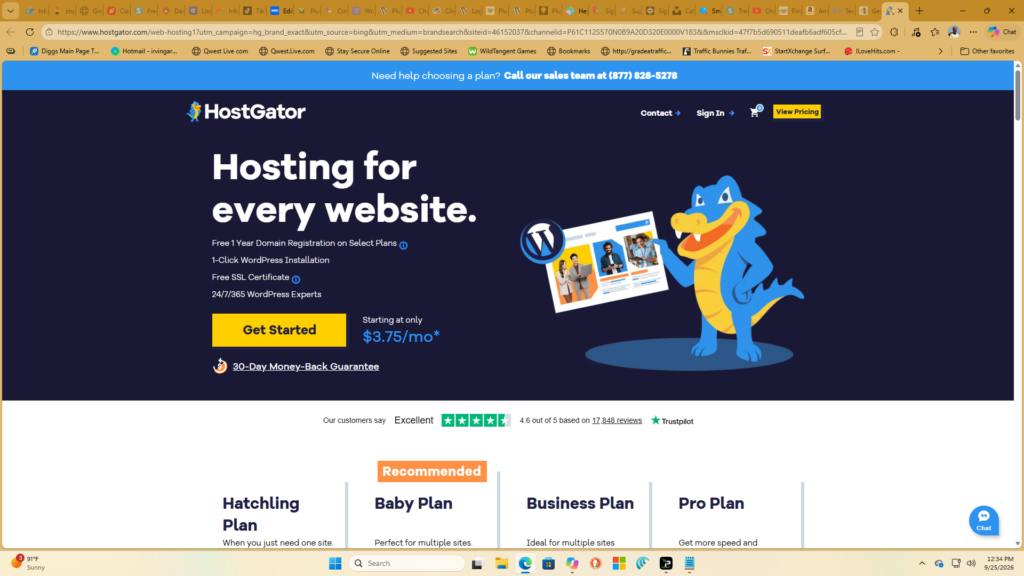
HostGator is a web hosting company founded in 2002, and it now hosts millions of websites. It offers the full range of hosting most beginners will ever need: shared hosting for small sites, WordPress hosting, VPS hosting for sites that outgrow shared plans, and dedicated hosting for the biggest projects. It also covers the extras that a new site owner needs in one place — domain registration, so you can buy your domain and your hosting together, and a website builder for anyone who wants to get a simple site online without touching WordPress at all. That all-in-one approach is the main reason it keeps showing up on beginner shortlists.
Who Is HostGator Best For?
Good Fit For
- New website owners
- Bloggers
- Affiliate marketers
- Small businesses
- Content creators
Not Ideal For
- Enterprise websites
- High-traffic applications
- Advanced developers seeking heavy customization
Key Features
One-Click WordPress Installation
This is the feature that matters most if you’re starting a WordPress site. HostGator lets you install WordPress from your control panel in a few clicks — no files to upload, no database to set up by hand. You pick a domain, click install, and a few minutes later you have a working WordPress site waiting for you. For a beginner, that removes the one step that stops the most people. You don’t need to know how hosting works under the hood. You just need to get WordPress running so you can start building.
Free SSL Certificate
Every HostGator plan includes a free SSL certificate, which is the thing that puts the padlock in your browser’s address bar and turns your site from http to https. That matters for two reasons. First, visitors trust a site with a padlock, and browsers now warn people away from sites without one. Second, Google treats https as a ranking signal. It’s a small thing, but it’s the kind of small thing a beginner shouldn’t have to pay extra for — and with HostGator, you don’t.
Website Builder
If you don’t want to use WordPress at all, HostGator’s website builder lets you put a simple site together with drag-and-drop blocks: pick a template, swap in your text and photos, publish. It’s not a replacement for WordPress if you plan to blog seriously or run an affiliate site with lots of content. But for a small business site, a landing page, or a first experiment, it’s the fastest way to get something online, and it comes included with the hosting you already paid for.
Unmetered Bandwidth
HostGator’s shared plans come with unmetered bandwidth, which means there’s no fixed monthly traffic cap that shuts your site down when you pass it. For a new site, that takes a worry off the table. You don’t have to guess how much traffic you’ll get in your first year, and a post that suddenly takes off won’t land you with an overage bill. Fair-use limits still apply — a shared plan isn’t built for huge traffic — but for a growing blog or small business site, unmetered bandwidth means one less thing to watch.
Email Hosting
HostGator includes professional email hosting, so you can have an address like you@yourdomain.com instead of a free Gmail address on your business cards and contact pages. That sounds like a small detail, but it changes how a site looks to visitors and customers. An email address on your own domain tells people the site is a real business, and it’s included in the plan rather than sold as a separate add-on.
Customer Support
HostGator offers support by live chat and phone, 24/7, plus a knowledge base and video tutorials for the common jobs — installing WordPress, setting up email, pointing a domain at your site. In my experience, the fastest way to get help is live chat. Response times vary, and for anything complicated you may need to be patient, but for the setup questions a beginner actually has, the support team can walk you through it. That matters more than it sounds: when you’re stuck at 10 p.m. trying to launch a site, knowing someone is there to answer makes a real difference.
What I Like About HostGator
Beginner Friendly
Everything about HostGator is set up for someone doing this for the first time. The control panel is plain and labeled clearly, WordPress installs in a few clicks, and the defaults are sensible — you don’t have to make a dozen technical decisions before your site exists. That’s the whole point of a beginner host, and HostGator gets it right.
Affordable Starting Plans
The introductory pricing is genuinely low, which matters when you’re starting a site that doesn’t earn anything yet. You can get a year of hosting for less than a single dinner out. Just go in with your eyes open: the renewal price is higher than the first-term price, so check what year two costs before you commit.
Easy Website Management
Day to day, managing a HostGator site is straightforward. Domains, email accounts, WordPress installs, and backups are all in one control panel, and the common jobs take a couple of clicks. I run several niche websites, and the less time I spend fighting a control panel, the more time I spend on content — which is where the money actually comes from.
Multiple Hosting Options
You don’t have to switch hosts when your site grows. Start on shared hosting, move to WordPress hosting or a VPS when traffic picks up, and stay with the same company, the same login, and the same support team. That upgrade path is worth more than it looks on paper, because migrating a site to a new host is a job nobody enjoys.
Potential Drawbacks
Higher Renewal Prices
The low price you sign up with is an introductory rate. When the plan renews, the price goes up — sometimes by a lot. This is standard across the hosting industry, but it still catches people out. Before you buy, look at the renewal price, not just the first-term price, and decide whether you’d still be happy paying it in a year.
Upsells During Checkout
The checkout process offers a lot of add-ons: extra security, backups, SEO tools, domain privacy. Some of them are useful, some of them you don’t need yet. Take your time at checkout, uncheck what you don’t want, and remember you can always add a service later — you don’t have to buy everything on day one.
Shared Hosting Performance Limitations
On a shared plan, your site shares a server with other sites. That keeps the price low, but it also means a traffic spike on a neighboring site can slow yours down, and a shared plan won’t match a VPS for speed. For a new blog or small business site, that’s fine. If your site grows to serious traffic, plan to upgrade rather than fighting the limits of a shared plan.
HostGator Pricing
HostGator offers several plans across shared, WordPress, VPS, and dedicated hosting. Pricing changes regularly and depends on the term you choose, with longer terms usually cheaper per month. Check the official site for current pricing before you buy — and look at the renewal price as well as the introductory price, since that’s what you’ll actually be paying from year two onward.
👉 Check Current HostGator Pricing
HostGator vs Bluehost
| Feature | HostGator | Bluehost |
|---|---|---|
| Ease of Use | Yes | Yes |
| WordPress Setup | Yes | Yes |
| Beginner Friendly | Yes | Yes |
| Support | Yes | Yes |
| Pricing | Introductory pricing is competitive — check the official site for current rates and renewal prices | Introductory pricing is competitive — check the official site for current rates and renewal prices |
My Experience Building Websites
I build niche websites for a living, and OnlineMarketingStrategiesHub is one of several sites I run. Hosting is the foundation under all of them — if the hosting is unreliable, nothing else matters, because readers can’t reach the content and Google notices when a site is down. That’s why I judge a host on the boring stuff first: does WordPress install cleanly, does the site stay up, can I get help when something breaks, and can I manage it all without spending my day in a control panel? HostGator passes those tests. It’s not the host I’d pick for a high-traffic site that needs every millisecond of speed, but for launching a new blog or affiliate site, it’s dependable, easy to manage, and priced so a new site can afford it. That reliability is what makes it worth recommending.
Is HostGator Worth It?
Pros
✅ Easy setup
✅ Beginner friendly
✅ Affordable introductory pricing
✅ Multiple hosting choices
✅ Strong brand reputation
Cons
❌ Higher renewal rates
❌ Some upsells
Final Verdict
Overall Rating: 4.5/5
HostGator remains a solid hosting option for bloggers, affiliate marketers, and small businesses seeking reliable hosting.
👉 Start Your Website with HostGator
Related Articles
- Bluehost Review: Best Hosting for Beginners
- ⭐ Best Web Hosting for Beginners – Bluehost
- Pictory Review 2026
- Synthesia Review 2026
📘 Free Book
The Content Multiplier Method™
Learn how to turn one blog post into 10+ pieces of content using proven workflows, AI tools, and content repurposing strategies.