Disclosure: #SponsoredByBluehost. I was invited to test Bluehost AI Builder. I earn a commission if you purchase through my affiliate links, at no additional cost to you.
Can AI Really Build a Website from a Single Prompt?
Website builders have become easier over the years, but there’s still usually a learning curve. Most platforms require choosing templates, customizing layouts, adding pages, and spending hours getting everything set up.
When I heard about Bluehost AI Builder, I wanted to see what would happen if I gave it a real-world project related to one of my current businesses.
Instead of creating a generic example website, I asked Bluehost AI Builder to build a site for Buddy’s Golden Retriever Adventures, a family-friendly brand featuring Golden Retriever coloring books, dog-themed videos, holiday coloring books, and gifts.
Here’s what happened.
The Prompt I Used
I entered the following prompt:
Create a website for Buddy’s Golden Retriever Adventures, a family-friendly brand featuring Golden Retriever coloring books, humorous dog videos, Christmas coloring books, and dog-themed gifts. Include a home page, coloring book showcase, about Buddy section, video gallery, contact page, and email signup. The design should be warm, friendly, and feature golden retriever imagery with a cozy, family-oriented feel.
Bluehost AI Builder Response
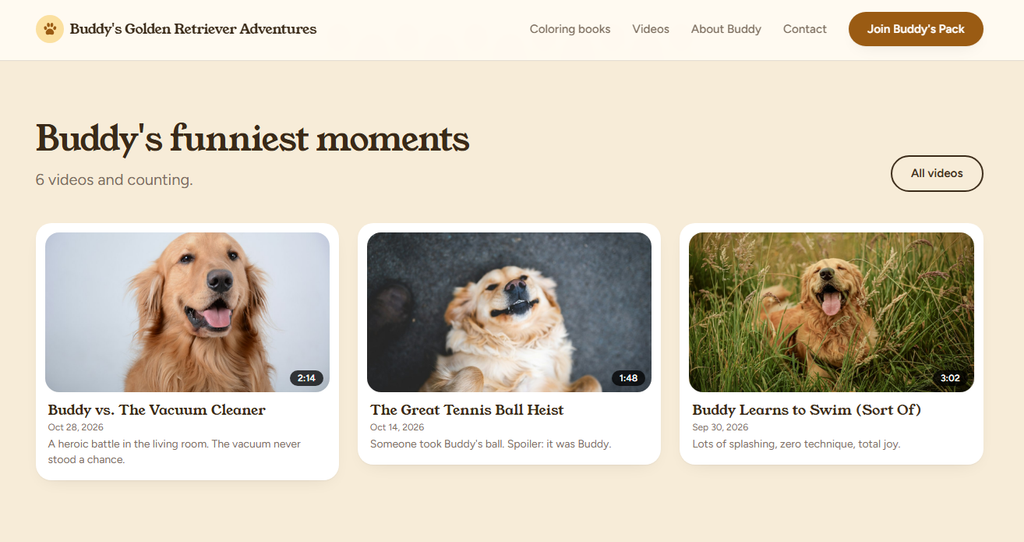
Your Buddy’s Golden Retriever Adventures site is ready in warm golden tones: 7 pages, including the contact form and email signup. Videos are sample cards without playback, and the gift photos are close matches. Add your real YouTube links and photos in your dashboard.
Click Manage beside your preview to open your dashboard and sign in, no password needed. Once you’ve published, set a password from your profile there (the menu with your name) to sign in at /admin/login.
The Build Process
After submitting the request, Bluehost AI Builder analyzed the prompt and began generating the website.
Within minutes, it produced a complete site structure and organized the content into multiple sections.
The AI’s response indicated that the site included:
- Home page
- Coloring books section
- Video gallery
- About Buddy page
- Contact page
- Email signup page
- Additional supporting pages
For a first draft created from a single paragraph of instructions, I was impressed by how closely the structure matched what I requested.
First Impressions
The generated website captured the overall theme surprisingly well.
Some of the elements that stood out included:
1. Strong Branding Direction
The site immediately focused on Buddy as the central character.
Instead of creating a generic coloring book website, the AI recognized that Buddy was the brand and organized the content around him.
2. Logical Navigation
The generated navigation included:
- Coloring Books
- Videos
- About Buddy
- Contact
- Newsletter Signup
These are exactly the sections many content-based businesses need.
3. Family-Friendly Design
The design used warm colors and a friendly presentation style that fit the Golden Retriever theme.
The overall look felt approachable and family oriented rather than overly corporate.
The Generated Homepage
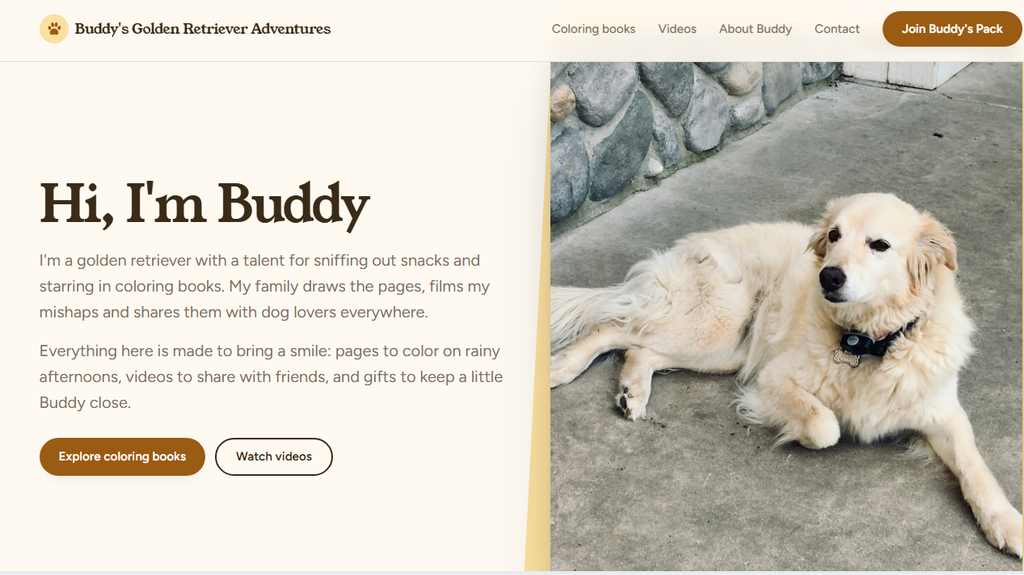
The homepage introduced Buddy and positioned the site as a destination for coloring books, videos, and family-friendly content.
One of the things I liked most is that the AI didn’t require me to manually create each page.
Instead, it generated a complete framework that I could continue refining.
Screenshot: Generated Homepage

What I Liked
Fast Setup
The biggest advantage was speed.
Rather than starting with a blank page, I had a complete site structure almost immediately.
Good Understanding of Context
The AI understood the difference between:
- A character (Buddy)
- Products (coloring books)
- Content (videos)
- Community features (newsletter signup)
That level of understanding made the first draft much more usable.
Beginner Friendly
Someone with little website experience could get a functional first version online very quickly.
What Could Be Improved
No AI website builder is perfect.
Like most AI-generated content, the generated site still benefits from human review and customization.
You’ll likely want to:
- Add your own images
- Replace sample content
- Add actual product links
- Connect social media profiles
- Customize branding details
In my case, I would also add links to my published coloring books and video content.
Who Bluehost AI Builder Is Best For
Based on this test, Bluehost AI Builder appears best suited for:
- Small business owners
- Solopreneurs
- Side hustlers
- Creators
- Authors
- Affiliate marketers
- Anyone who wants a website quickly without coding
If you’ve been delaying a website because the process feels overwhelming, AI Builder significantly lowers the barrier to entry.
Pricing
At the time of writing, Bluehost AI Builder is available with:
$0 to start, no credit card required
Paid plans start at $20 per month.
Be sure to verify current pricing directly on the Bluehost website before making a decision.
How Bluehost AI Builder Compares to Traditional Website Creation
In the past, building a website typically involved selecting a hosting plan, installing software, choosing a template, creating pages individually, and then spending hours customizing the design.
With Bluehost AI Builder, most of those initial steps are condensed into a simple conversation. After entering a description of the business, the platform generated a homepage, navigation structure, content sections, contact page, and newsletter signup area within minutes.
What stood out to me was that the AI didn’t simply create a generic template. It interpreted Buddy as the brand, recognized that coloring books were products, understood that videos were content, and organized the site accordingly.
While you’ll still want to customize the final result, add your own images, and refine the content, the AI provides a significant head start compared to beginning with a completely blank website.
My Real-World Experience Using Bluehost AI Builder
What made this test interesting is that I wasn’t creating a fictional business. Buddy’s Golden Retriever Adventures is based on a real concept that combines coloring books, videos, and dog-themed content.
As someone who has built multiple websites over the years, I’m familiar with the traditional website creation process. Normally, I would need to choose a theme, create the page structure, configure menus, design the homepage, and add supporting pages one at a time. Even for an experienced website owner, that process can take several hours before a site begins to come together.
With Bluehost AI Builder, I simply described the business and let the platform generate the initial version. Within minutes, the AI had created a homepage, internal pages, navigation structure, contact section, and newsletter signup area.
What surprised me most was how well the system understood the relationship between the different elements of the business. It recognized Buddy as the central character, identified coloring books as products, treated videos as content, and incorporated community-building features into the site structure.
The generated website would still require customization before launching as a production site, but it provided a much stronger starting point than a blank page. For entrepreneurs, authors, creators, and small business owners who want to get online quickly, that initial time savings may be one of the platform’s biggest advantages.
I also liked that the process felt more conversational than technical. Instead of configuring dozens of settings upfront, I could focus on explaining what I wanted the website to do. The AI handled much of the initial organization automatically.
For someone creating their first website, that simplification alone could remove many of the obstacles that often prevent new projects from getting started.
Final Verdict
My goal was simple: determine whether Bluehost AI Builder could create a useful website from a single paragraph description.
The answer is yes.
In just a few minutes, the platform generated a complete framework for Buddy’s Golden Retriever Adventures, including pages for coloring books, videos, community building, and contact information.
It isn’t a finished website right out of the box, but it provides a surprisingly strong starting point and dramatically reduces the amount of work required to launch a site.
For entrepreneurs, creators, and small business owners who need an online presence quickly, Bluehost AI Builder is worth exploring.
Rating: 8/10
Strong first draft generation, good understanding of business concepts, and an impressive amount of structure created from a single prompt.
What impressed me most was how closely Bluehost AI Builder followed my original instructions. Instead of generating a generic website, it understood Buddy as the central character, organized the site around coloring books and videos, and created a structure I could realistically continue building on. For a first draft generated from a single prompt, the results were better than I expected.
Pages Generated:
Screenshot: About Buddy Page
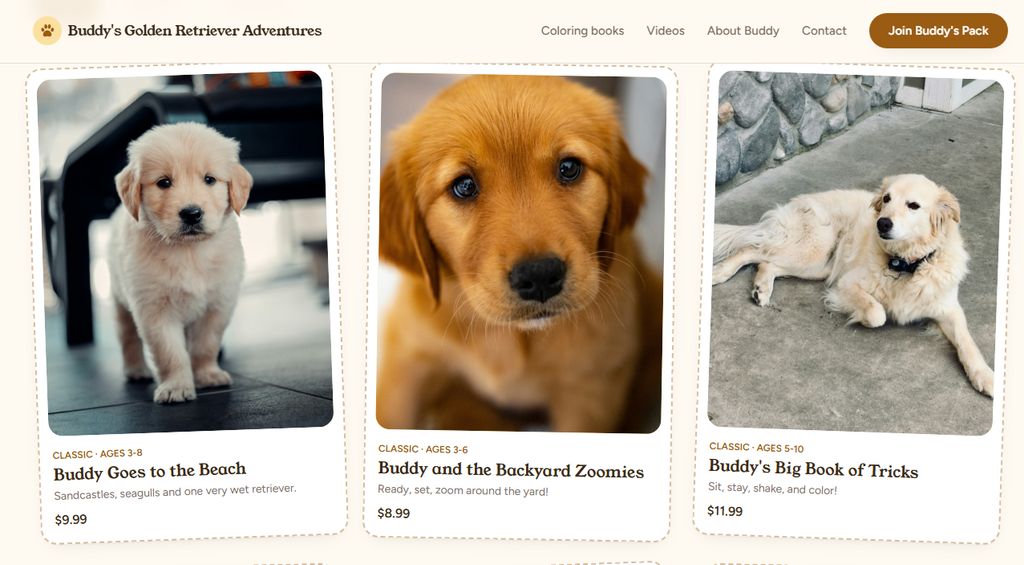
Screenshot: Coloring Books Page
Screenshot: Buddy’s Videos Page
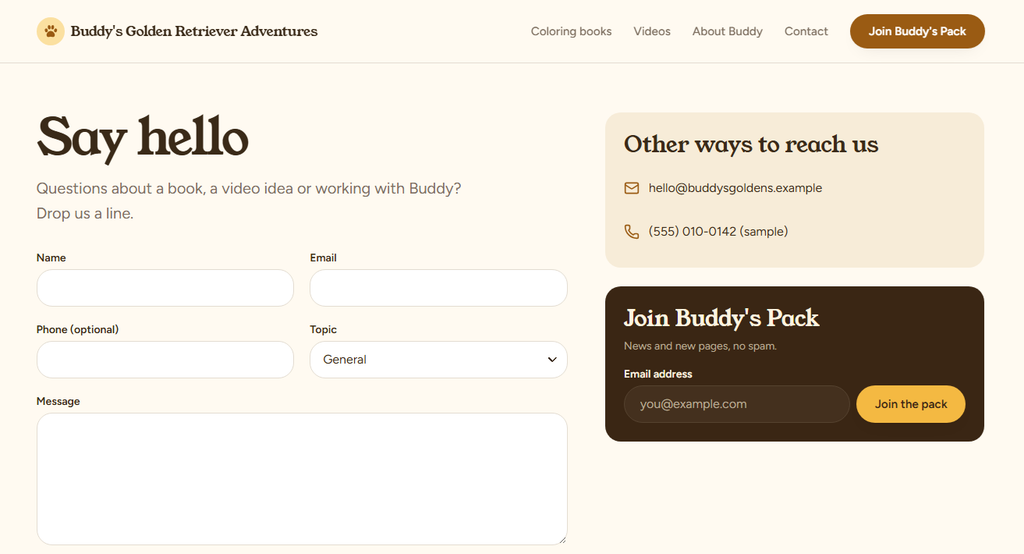
Screenshot: Buddy’s Contact Page
If you’d like to test Bluehost AI Builder for yourself, you can start for $0 with no credit card required. I used it to generate the Buddy’s Golden Retriever Adventures website featured in this review.
Affiliate Disclosure: I earn a commission if you purchase through my affiliate link, at no additional cost to you.